Image-to-Image AI: Transform Photo Style in Seconds
Remember when changing the style of a photo meant hours in Photoshop? Those days are fading fast. AI has fundamentally changed what's possible for creators, marketers, and everyday users who want to transform visuals without touching a single layer mask or adjustment slider. Whether you want to turn a portrait into an oil painting, reimagine a product photo in a different aesthetic, or completely overhaul the mood of an image, AI can now do it in seconds — and the results are genuinely impressive.
What Is Image-to-Image AI?
Image to image AI refers to a category of AI tools that take an existing image as input and produce a transformed version as output. Unlike creating visuals from scratch based on a written prompt, image to image tools use your existing photo as the structural foundation and apply stylistic, atmospheric, or compositional changes on top of it.
The technology is powered by diffusion models, which work by learning the relationship between visual patterns and then intelligently reconstructing images according to new stylistic parameters. The result is a system that can preserve the core content of your photo — the subject, the composition, the spatial relationships — while completely overhauling its visual style, color palette, lighting, or artistic aesthetic.
This is what makes image-to-image AI so powerful for practical use. You're not generating something from nothing. You're transforming something you already have into something better, different, or more creatively compelling.
What Can You Actually Do With It?
The range of applications is broader than most people initially realize. Here are the most impactful use cases driving adoption right now.
Style Transfer is the most widely used application. You take a photo — a portrait, a landscape, a street scene — and apply the visual style of a particular artistic movement, medium, or aesthetic. Turn a modern selfie into a Renaissance portrait. Render a city skyline in the style of Japanese woodblock printing. Transform a product shot into a dreamy watercolor illustration. The AI handles the heavy lifting while you retain creative direction.
Background Replacement and Environmental Transformation allows users to keep a subject intact while completely changing the world around them. A model photographed in a studio can be placed in a Parisian street, a forest at golden hour, or a futuristic cityscape — all without a green screen or compositing software.
Artistic Rendering converts photographs into paintings, sketches, comic book panels, or digital illustrations. This is particularly valuable for artists who want to use real-world references as a starting point and then push them into a fully illustrated direction.
Product Photography Enhancement has become a significant use case in e-commerce. Brands can take basic product photos and transform them into lifestyle imagery, seasonal campaigns, or stylized editorial shots without scheduling expensive photoshoots every time the creative brief changes.
Mood and Atmosphere Adjustment lets creators shift the emotional register of an image entirely. A bright, airy photo can become moody and cinematic. A flat, overcast outdoor shot can be transformed into something warm and golden. The AI interprets atmospheric instructions and applies them cohesively across the entire image.
How Image-to-Image AI Works
Understanding the mechanics helps you use these tools more effectively. Most modern image-to-image systems are built on latent diffusion models — the same underlying architecture that powers tools like Stable Diffusion. The process works roughly like this: the input image is encoded into a compressed mathematical representation, noise is strategically introduced into that representation, and then the model uses a text prompt or style reference to guide the denoising process toward a new visual output.
The strength of the transformation — how dramatically the output differs from the input — is typically controlled by a parameter called "denoising strength" or "image strength." A lower value keeps the output closer to the original; a higher value gives the AI more creative latitude to reimagine the image. Learning to calibrate this setting is one of the most important skills for getting consistent, usable results.
Some tools also incorporate ControlNet technology, which allows even more precise structural guidance. ControlNet can lock in the pose of a human subject, the edge structure of an object, or the depth map of a scene, ensuring that stylistic transformations don't accidentally distort the underlying composition.
Choosing the Right Tool for the Job
The image-to-image AI space is crowded, and not every tool is built equally. Knowing what you need before you start testing saves a lot of time.
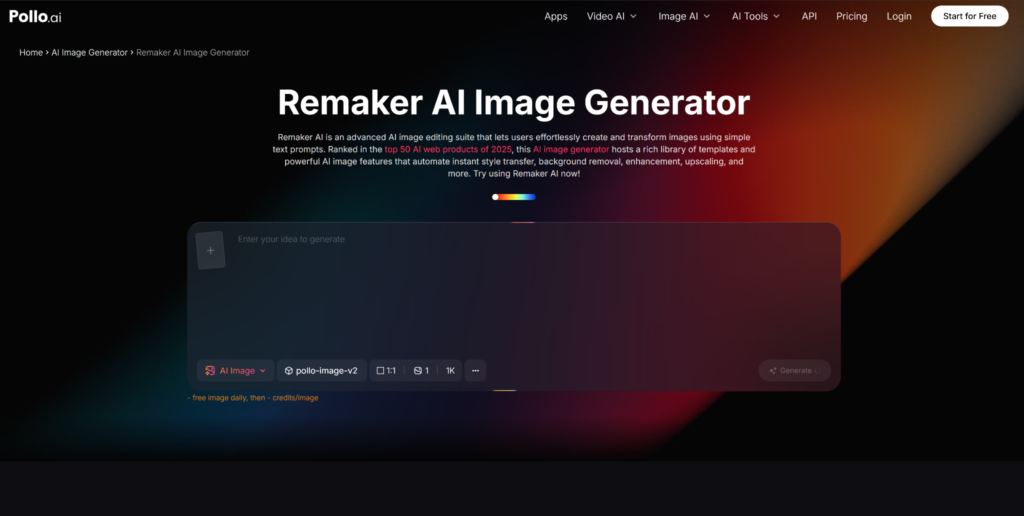
For users who want a powerful, accessible, and versatile image-to-image experience, Remaker AI is worth putting at the top of your list. Remaker AI offers a clean, intuitive interface built specifically around image transformation workflows — including face swap, image-to-image generation, AI photo editing, and style transfer. It handles a wide range of transformation tasks with impressive consistency. Whether you're working on personal projects or professional content, It delivers the kind of output quality that makes it a genuinely useful tool.
Tips for Getting Better Results
The quality of your output depends heavily on how you approach the process. A few principles that consistently produce stronger results across most image-to-image tools:
Start with a clean, high-resolution input image. AI tools amplify what's already there — a blurry, low-resolution photo will produce a blurry, low-resolution transformation. The better your source, the better your output.
Be specific with your style prompts. Vague instructions like "make it look artistic" produce inconsistent results. Specific prompts like "oil painting with thick impasto brushstrokes, warm amber tones, chiaroscuro lighting" give the model clear parameters to work within.
Match your tool to your task. A tool optimized for portrait transformation may not handle architectural photography as well. Understanding the strengths of the tool you're using helps you work with its capabilities rather than against them.
The Bigger Picture
Image-to-image AI isn't just a time-saving convenience — it's a genuine creative amplifier. It lowers the barrier to professional-quality visual content, democratizes design capabilities that were previously locked behind expensive software and years of training, and opens up creative possibilities that simply didn't exist before.
For creators, it means more visual variety without more production overhead. For marketers, it means faster campaign iteration and lower creative costs. For artists, it means a new class of tools that can accelerate ideation and exploration without replacing the human creative vision driving it all.
The technology is still evolving, and the tools available today are already meaningfully better than what existed six months ago. Getting familiar with AI now — understanding how it works, what it's capable of, and where its current limitations sit — puts you in a strong position to use it effectively as it continues to improve.